Beginning in 2026, Google is discontinuing support for checking external email accounts using POP3. As always, we recommend users access their email from email software like Thunderbird, from webmail, or using the built-in email app on a device, but some users may wish to continue accessing their email account from Gmail.
Setting up a mail forwarder
Setting up a mail forwarder will redirect email arriving at your email address and forward it to your Gmail email account.
- Login to your client area on our web site.
- Click on the Forwarders link under your hosting plan.
- If you have multiple domains under your hosting plan, you can choose with domain you're working with under the domain pulldown, located at the top right.
- Click the CREATE E-MAIL FORWARDER button, located in the top right.
- Enter the email address you wish to forwarder under New Forwarder Name.
- Enter your Gmail email address under Add Destination.
- Click the Create button, located at the bottom.
Setting up email sending in Gmail
In order to send email from your email address, it is necessary to configure it in Gmail.
- Login to your Gmail account.
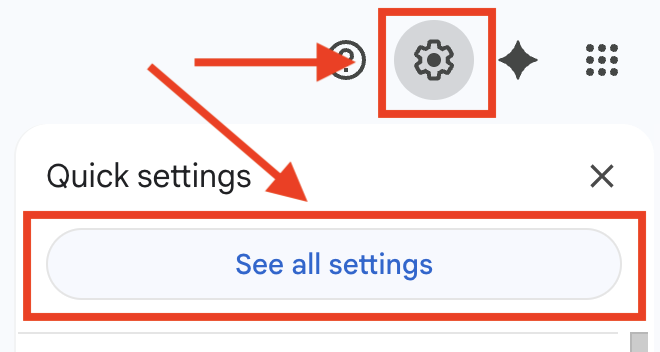
- At the top right, click on the Settings gear icon.
- Then click on See all settings.
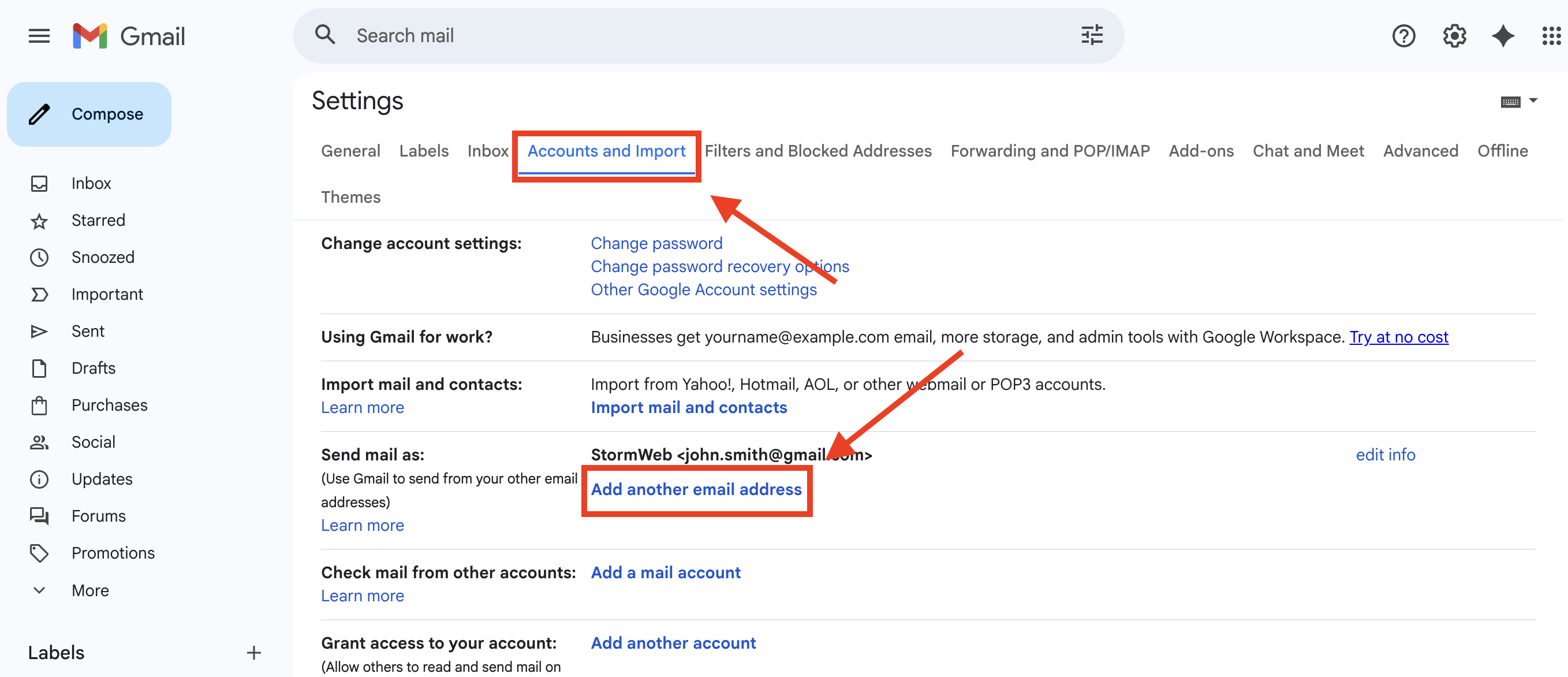
- Click on the Accounts and Import tab.
- Under Send email as: click on Add another email address
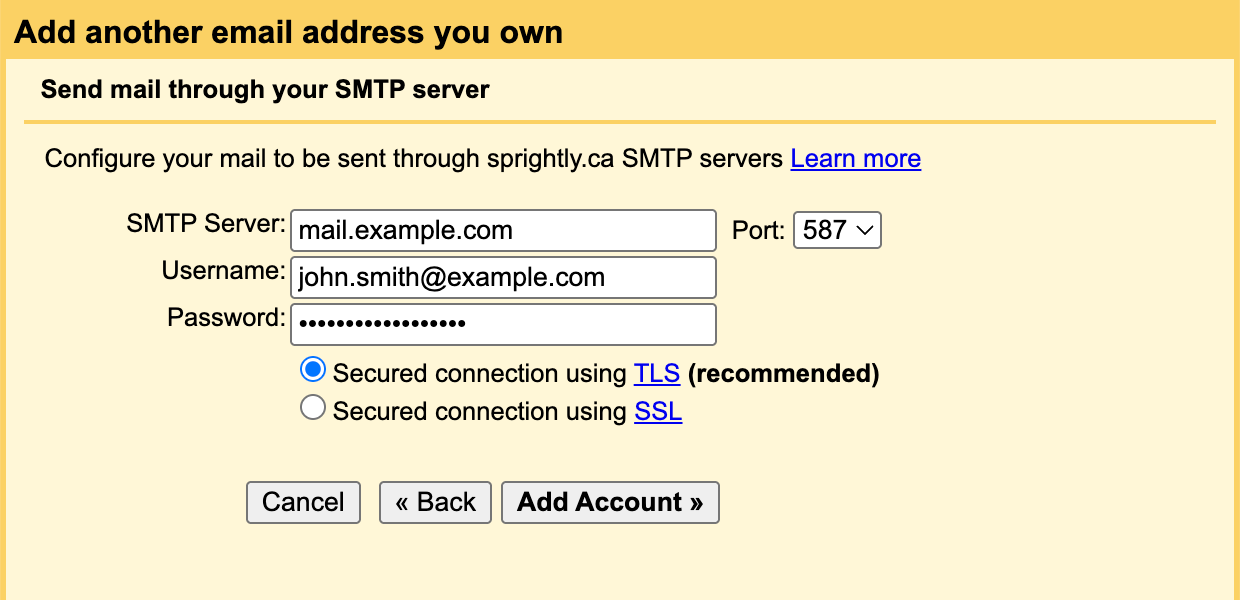
- A yellow window will appear where you can enter your connection information.
- Under SMTP Server enter mail.example.com (where example.com is your domain name).
- Under Username: enter your full email address.
- Under Password: enter your email password.
- Under Port: select 587.
- Check Secured connection using TLS (recommended).
- Click Add Account.
- Click Close Window.
- You'll then see a verification email in your inbox with the subject Gmail Confirmation - Send Mail as (your email). You'll need to click the link in this email and then click the Confirm button to give Google permission to send from your email.
Your email is now configured in Gmail. When you compose a message you'll be able to select which email address to send.